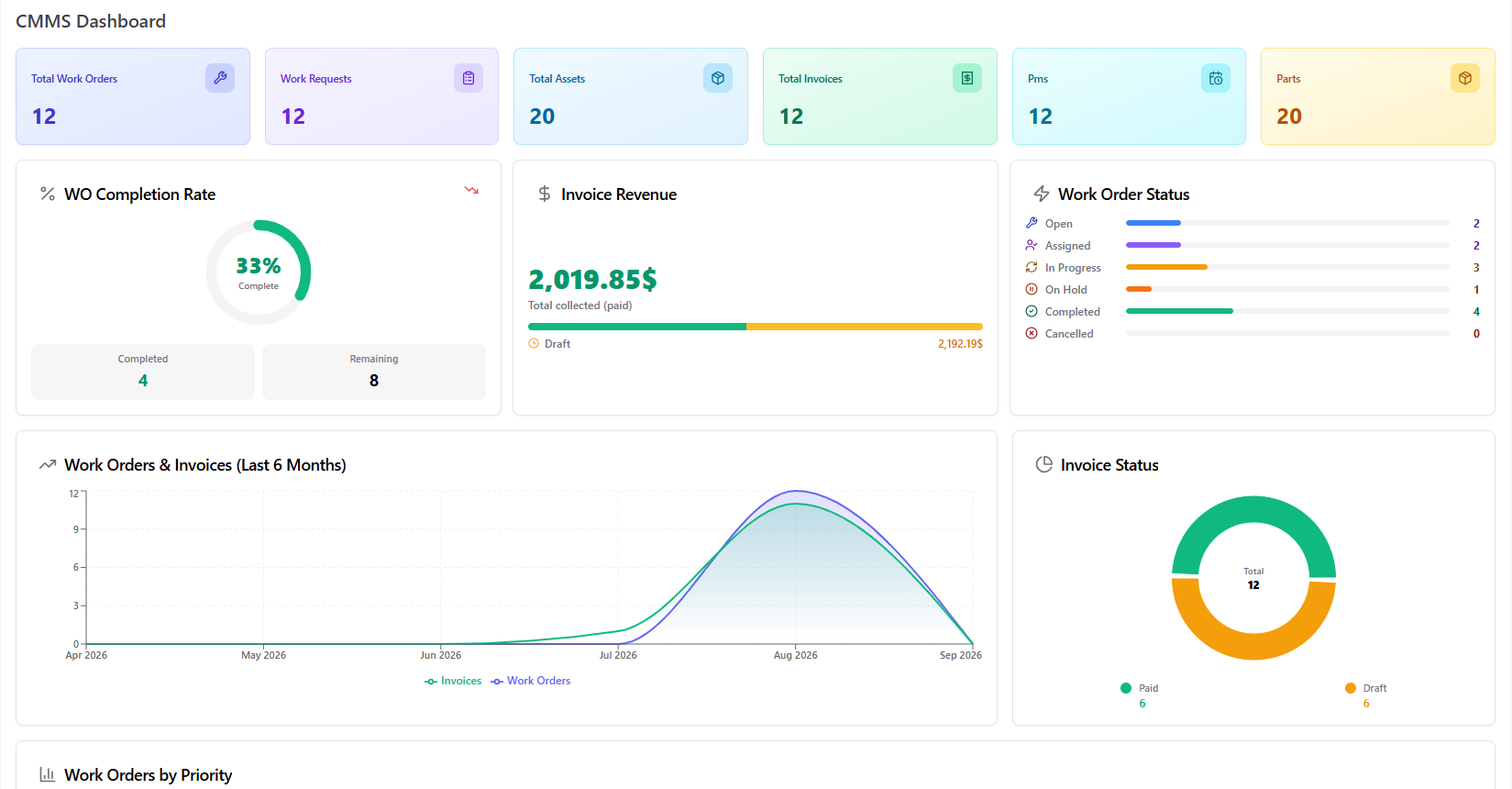
Klugora CMMS every asset, work order, & technician one place.
Capture work requests, run work orders, schedule preventive maintenance, and bill it all — free to explore in full, and shaped around your business when you're ready.
No status updates to chase — the ring fills itself as each stage completes.
STEP 1
Register assets
Location, category & criticality set from day one.
STEP 2
Work request
Anyone who spots a fault logs it, with priority.
STEP 3
Review & convert
Approved requests become full work orders, automatically.
STEP 4
Execute tasks
Technicians finish tasks — the order updates itself.
STEP 5
Preventive care
Recurring schedules service assets before they fail.
STEP 6
Bill the work
Labour, parts & tax calculated into one invoice.
// a day in the life
When Conveyor Belt #4 stops, here's what happens.
One real breakdown, start to finish — no spreadsheets, no phone tag, no guessing.
9:14 AM
Fault reported
A floor supervisor notices Conveyor Belt #4 grinding and submits a work request — asset, location, and a High priority flag, straight from the shop floor.
9:20 AM
Reviewed & converted
The maintenance manager confirms it's real and converts it into a work order — a technician assigned, the asset's full service history already attached.
10:05 AM
Work begins
The technician logs two tasks — inspect motor belt, replace worn seal — and marks each complete as the work happens.
11:45 AM
Completed & billed
Two parts come out of inventory automatically. An invoice generates itself — labour, parts, and tax — ready to send.
2h 31m
Fault to invoice
2
Parts used
$340
Invoiced
Work order WO-2042
Completed
Build your own estimate
You choose what's custom. We price only that.
The CMMS above is free to explore, in full. Tap what you'd want changed and watch an estimate build in real time.
"We used to find out equipment was down when production already stopped. Now the work order is logged and assigned before it becomes an emergency."
Robert Hensley
Maintenance Manager, manufacturing plant
"Parts stock always seemed to run out at the worst time. Now the system flags what's below minimum before we're caught short."
Diane Okafor
Facilities Supervisor, commercial property group
"Our technicians used to call in for their next job. Now they open their own dashboard and know exactly what's assigned to them."
Tom Reyes
Operations Director, logistics & warehousing
Before you reach out
A few common questions.
Is CMMS really free to explore?
Yes — the full CMMS, in a real working account, with no signup or sales call required. You only pay if you want it customized for your business.
Do I have to pay to keep using it?
No. The free foundation is fully functional on its own — customization is optional, not required.
How long does a customization take?
Most requests are scoped within 24 hours. Delivery usually takes from a few days up to a few weeks, depending on what's being changed — see the estimate above for typical timelines.
Is my data and setup really mine?
Yes. Once customized, the CMMS — code, data, and configuration — belongs to you, with no per-seat fees.
Can other Klugora modules connect to CMMS?
Yes. CMMS runs on the same account as every other module — Construction, Helpdesk, Property Management, and more — so they already share your assets and team data.
// let's talk about your maintenance process
Want CMMS shaped around how your team maintains?
Tell us how your team handles maintenance today. We'll walk you through the details and get back to you with a fixed price for customization, integrations, branding, or an extra module — within 24 hours.