A help desk where AI drafts every reply. With sources.
We built a full support desk — tickets, SLAs, macros, analytics — with a RAG engine wired into every ticket. It reads your knowledge base, drafts a cited answer in seconds, auto-resolves the easy ones, and queues the rest for one-click agent approval.
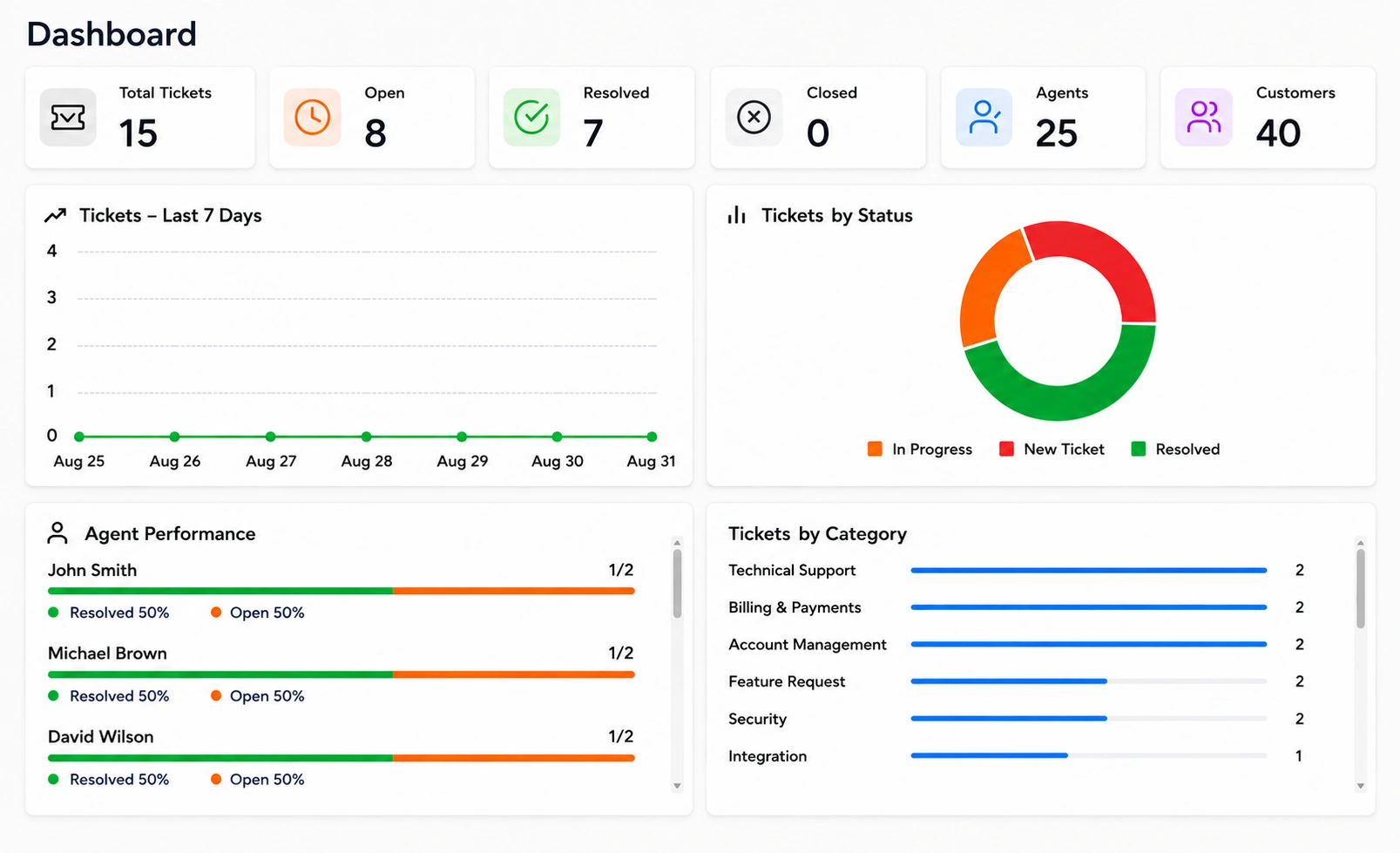
Inbox — AI drafts a cited reply, you approve and sendAnalytics — auto-resolved vs. drafted vs. escalated
What the customer feels
An answer, not a ticket number.
No hold music, no "you are number 14 in the queue." Just a cited answer in seconds, from wherever they already reached out — and a real person the moment it actually needs one.
// live demo
Be the agent. The AI already did the work.
Click a ticket — the AI drafts a cited reply. Approve it and watch your queue melt.
DeskAIDEMOresolved today: 31 · open: 4
Inbox
#4821EMAILopen
How do I reset my API key?
jordan@fintrail.com
#4822CHATopen
Invoice shows wrong VAT number
anna@lumen.io
#4823WHATSAPPopen
Where is order #88412?
+1 555 0182
#4824PORTALopen
Can we add SSO for our team?
it@northpeak.co
31 more tickets were answered by the AI alone in the last hour — only these needed a human.
How do I reset my API key?
SLA: 3h 41m left
jordan@fintrail.com wrote:
Hi — our staging integration stopped working and I think the API key was rotated. How do I generate a new one without breaking production?
● AI reading knowledge base… retrieving relevant articles…
✦ AI DRAFTconfidence 96%drafted in 2.8s
Hi Jordan,
You can generate a new API key without touching production:
1. Go to Settings → API Keys and click "Create key" — the old key stays active until you revoke it.
2. Update your staging environment with the new key.
3. Once staging is confirmed working, revoke the old key from the same screen.
Production keys are separate per environment, so nothing breaks mid-switch.
📄 docs/api-keys.md § rotation📄 kb/environments.md
✓ Approve & sendEdit firstEscalate
✓ Sent — ticket resolved · CSAT survey queued
Three modesAuto-resolve for high-confidence answers, draft-for-approval like you just used, and copilot where agents write and AI suggests. You choose per category — refunds and anger always route to humans.
What the agent's day looks like
Approve in one click, not type from scratch.
Every draft already has the sources and confidence score attached. Your team's job shifts from writing every reply to reviewing the ones worth a second look — a very different way to spend a shift.
What's in the box
A complete desk, not a widget.
RAG knowledge engine
Docs, help center, past tickets, and product APIs — embedded, indexed, and kept in sync.
Cited AI drafts
Every draft shows its sources and confidence. Agents approve, edit, or escalate in one click.
Omnichannel inbox
Email, web chat, WhatsApp, and portal tickets in one queue with unified history.
SLAs & routing
Priority rules, business-hours SLAs, skill-based routing, and breach alerts.
Smart escalation
Anger, refunds, and legal topics detected and routed straight to humans — always.
CSAT & QA
Surveys per resolution plus AI review of agent replies against your tone guide.
Deflection analytics
What customers ask, what the AI resolves, and which docs are missing — weekly.
Knowledge gap finder
Tickets the AI couldn’t answer become a ranked to-write list for your docs team.
Same RAG brainThe knowledge engine behind the desk is the same one powering our customer chatbots — deploy both and your bot, your agents, and your help center all answer from one synced source of truth.
Where the bot stops
Escalations reach an actual team, every time.
Anger, refunds, legal — anything that should never be improvised gets routed straight to your people, with the full history attached. No customer ever gets stuck arguing with a bot that's out of its depth.
// start
How many tickets a month?
Send us your ticket volume and knowledge sources — we'll reply with a deflection estimate and a fixed quote within 24 hours.